
Features
The document management CRM for small businesses: deals, customers, documents and EU-qualified e-signatures in one workspace. Here is each part, as it looks in the app.
Sales pipeline: every deal by stage
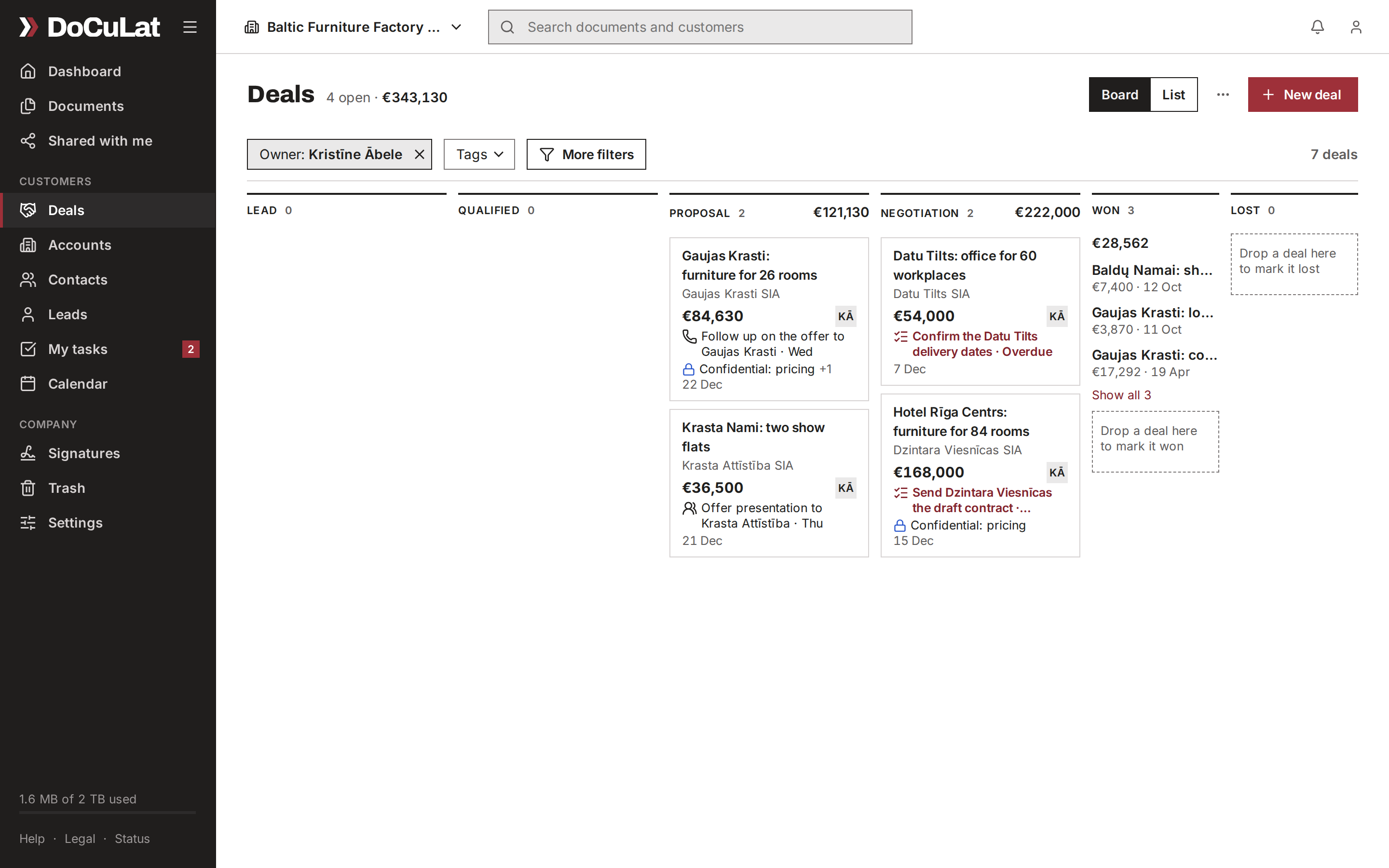
The deals board shows where each deal stands, in your own stages, with the total of each stage. When a deal moves, drag it to its next stage.
- Your own stages, each with its probability
- Totals per stage, per currency
- Filters for amount, owner, days in stage, tags and teams
- The same deals as a board or a list
One deal, everything about it
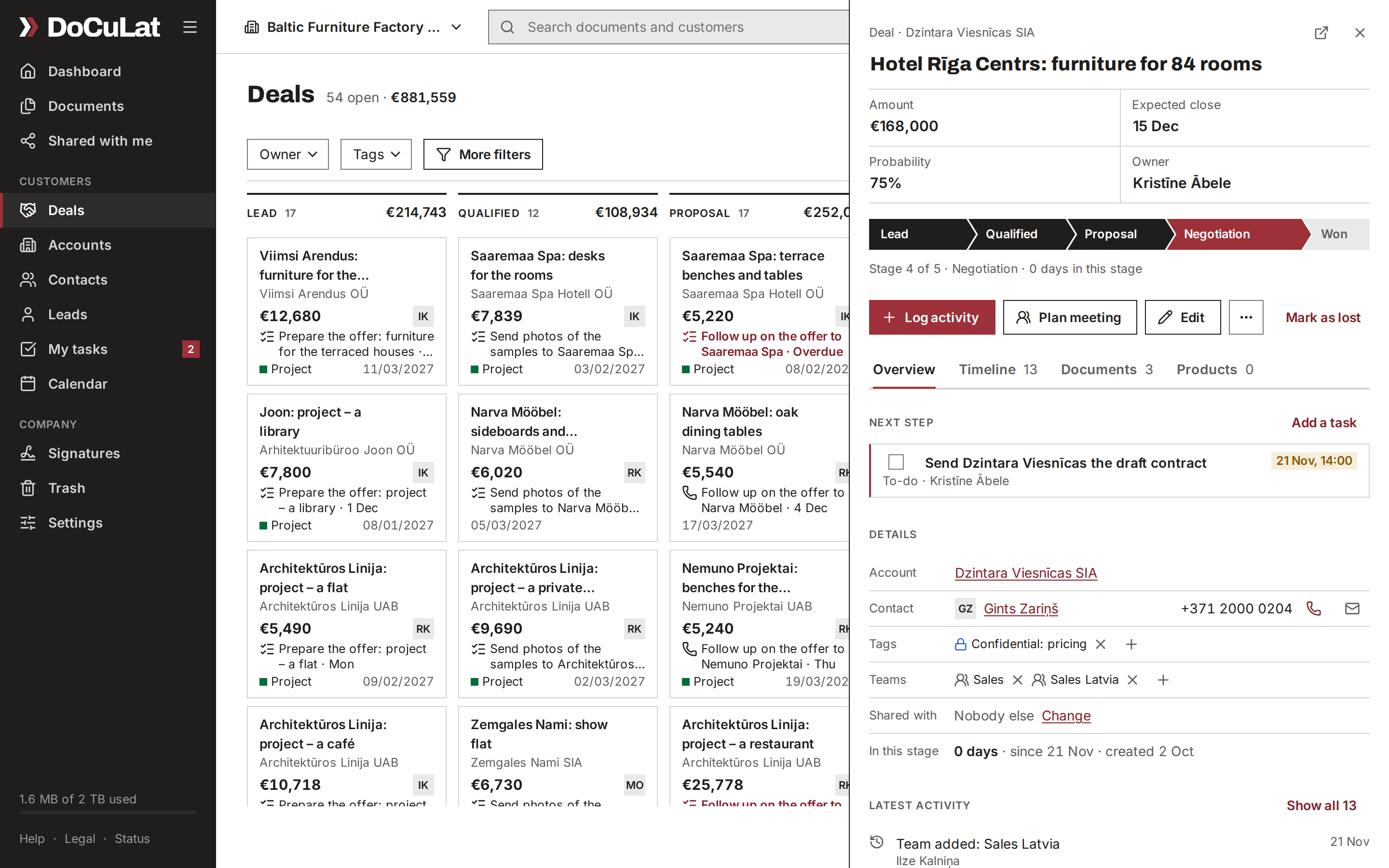
Open a deal and its window starts with what matters: what it is worth, where it stands and what happens next. Its timeline, documents and products are one tab away.
- Amount, expected close, probability and owner at the top
- The next step: the deal's next open task and when it is due
- A timeline of calls, meetings, e-mails and notes
- Its documents, its signatures, and its products and services
Customers: accounts, contacts and groups
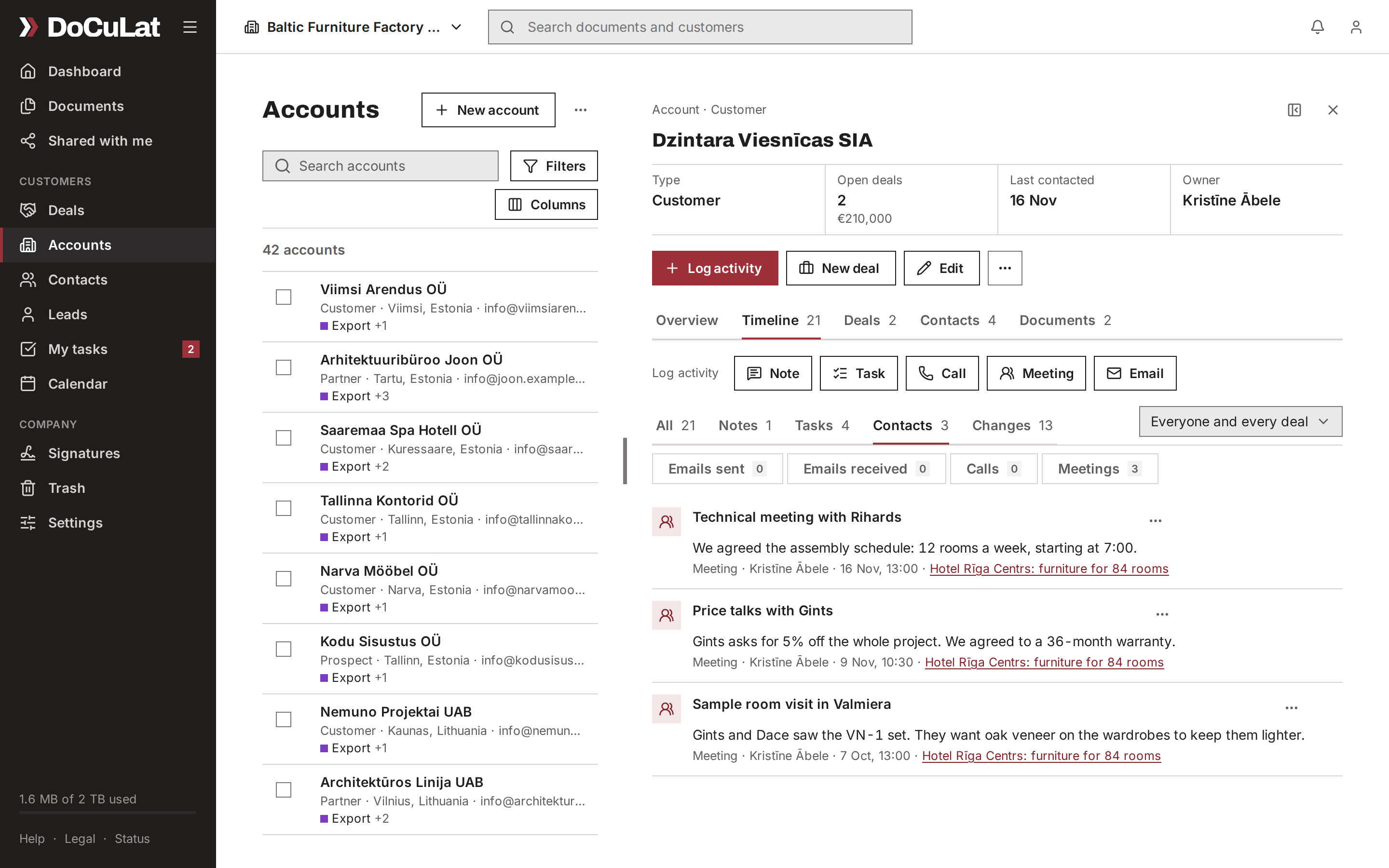
Each account keeps its people, its deals, its files and one timeline of everything that happened. Type a VAT number, and the legal name and address come from the EU VAT register (VIES).
- Contacts at each account, with their phone and e-mail
- Calls, meetings, e-mails, notes and tasks on one customer timeline
- Groups of companies: parent, subsidiaries and branches, with the group's totals
- Tags, your own fields and filters you can keep
See it with your own deals
We show DoCuLat with the kind of customers and documents your team has, and answer your questions.
Document management with OCR search
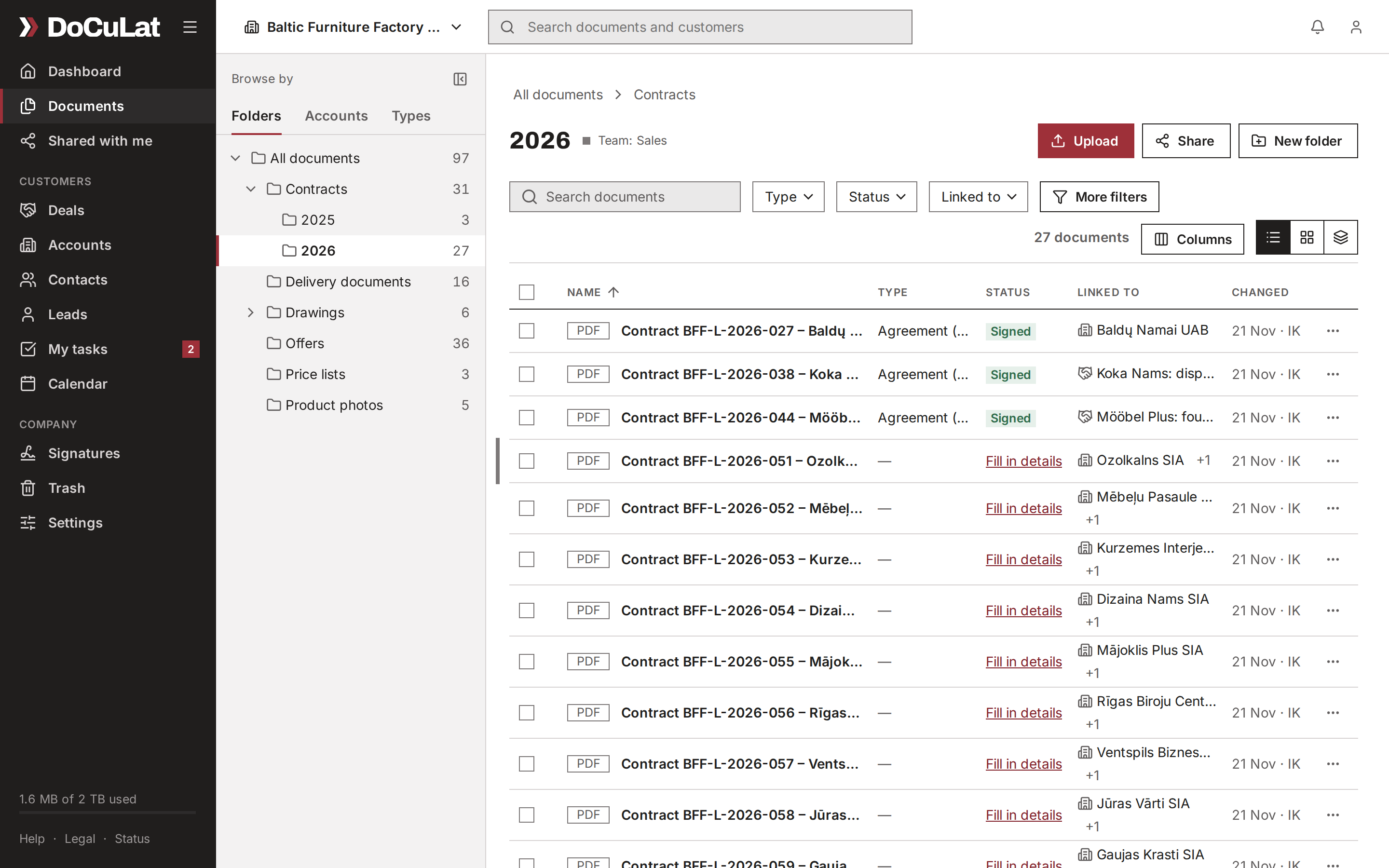
The company's files sit in folders you know, and each one can belong to a customer and a deal. Scanned PDFs are read with OCR, so search finds the words inside them.
- Browse by folder, by customer or by document type
- A document type and a status on every file
- OCR search inside scanned PDFs
- Every upload checked for viruses
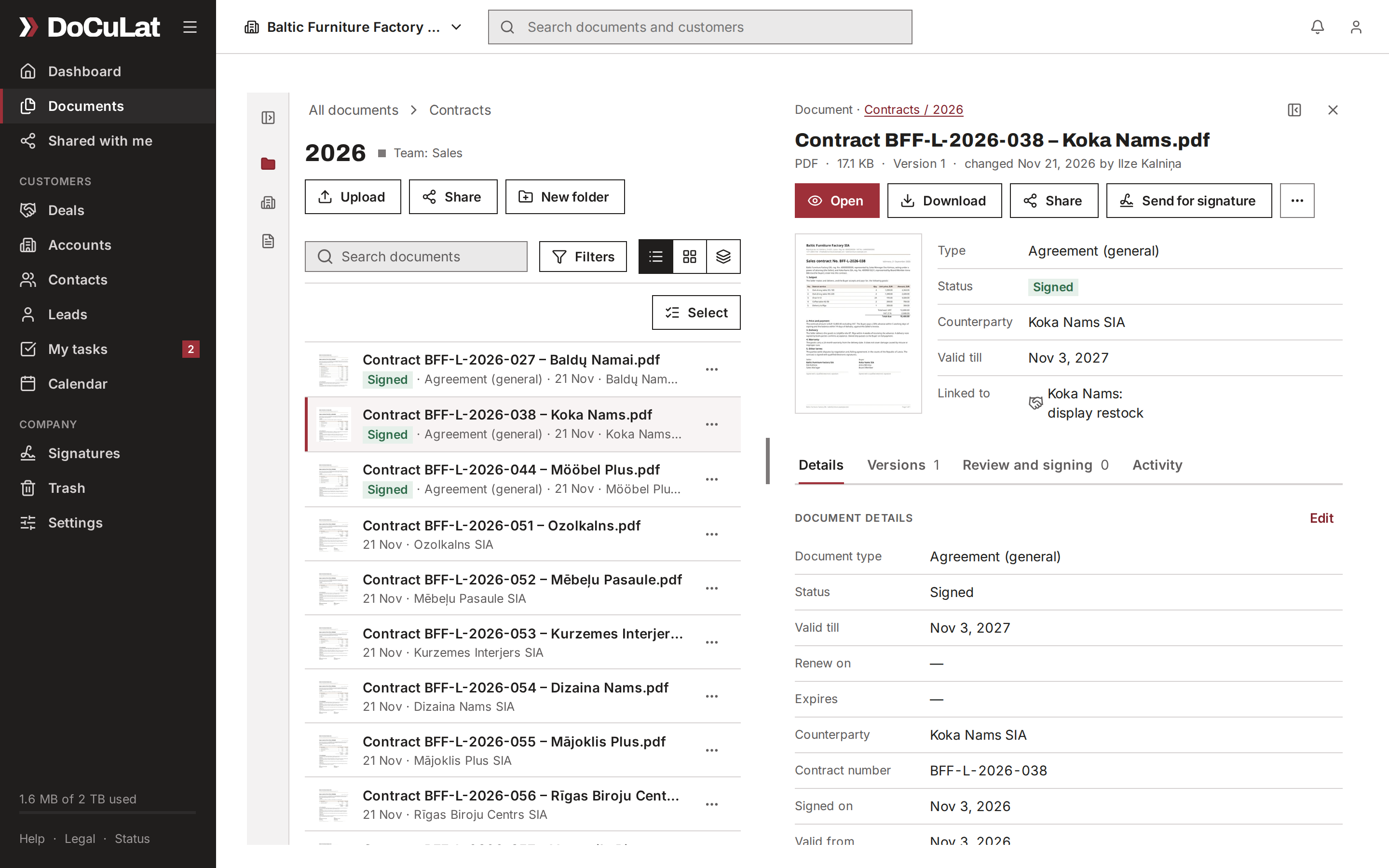
A document's details
A file's window shows its versions, its dates and who has to approve it. Give a contract its end date or renewal date, and the person responsible gets a task before the day.
- Versions and previews, and Office documents edited in the browser
- Expiry and renewal dates, with reminders
- Approval in steps, by colleagues and customers
- Linked to its deal and its customer
E-signing with Smart-ID, Mobile-ID and eParaksts
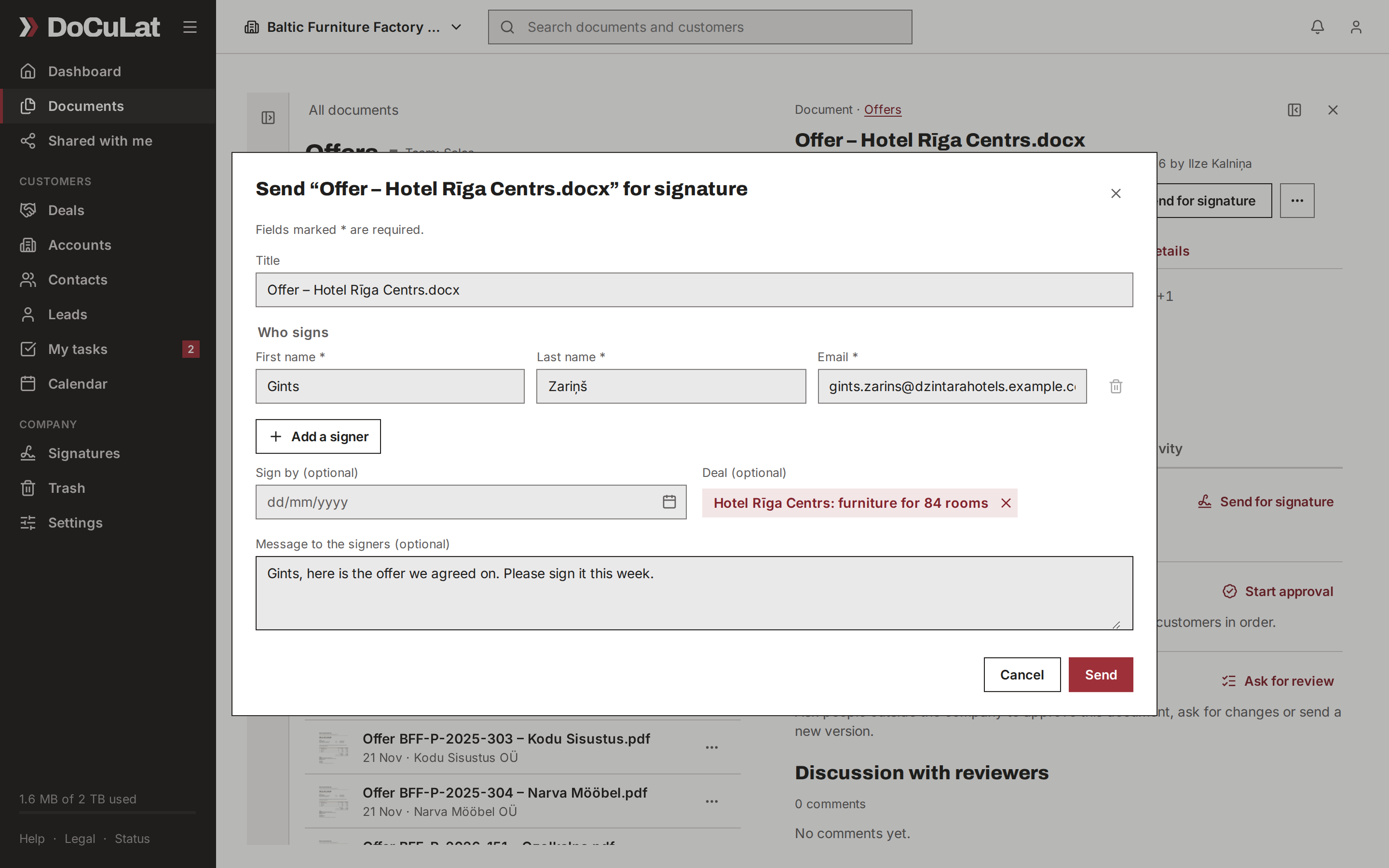
Send a contract for signature from the file itself. Your customer signs with Smart-ID, Mobile-ID or eParaksts through Dokobit, and the signed copy is filed next to the original.
- Qualified e-signatures, valid across the EU
- Several signers, a date to sign by and a message
- Linked to its deal: the deal's timeline shows when it was sent and signed
- Every envelope and its signers under Signatures
Tasks and calendar
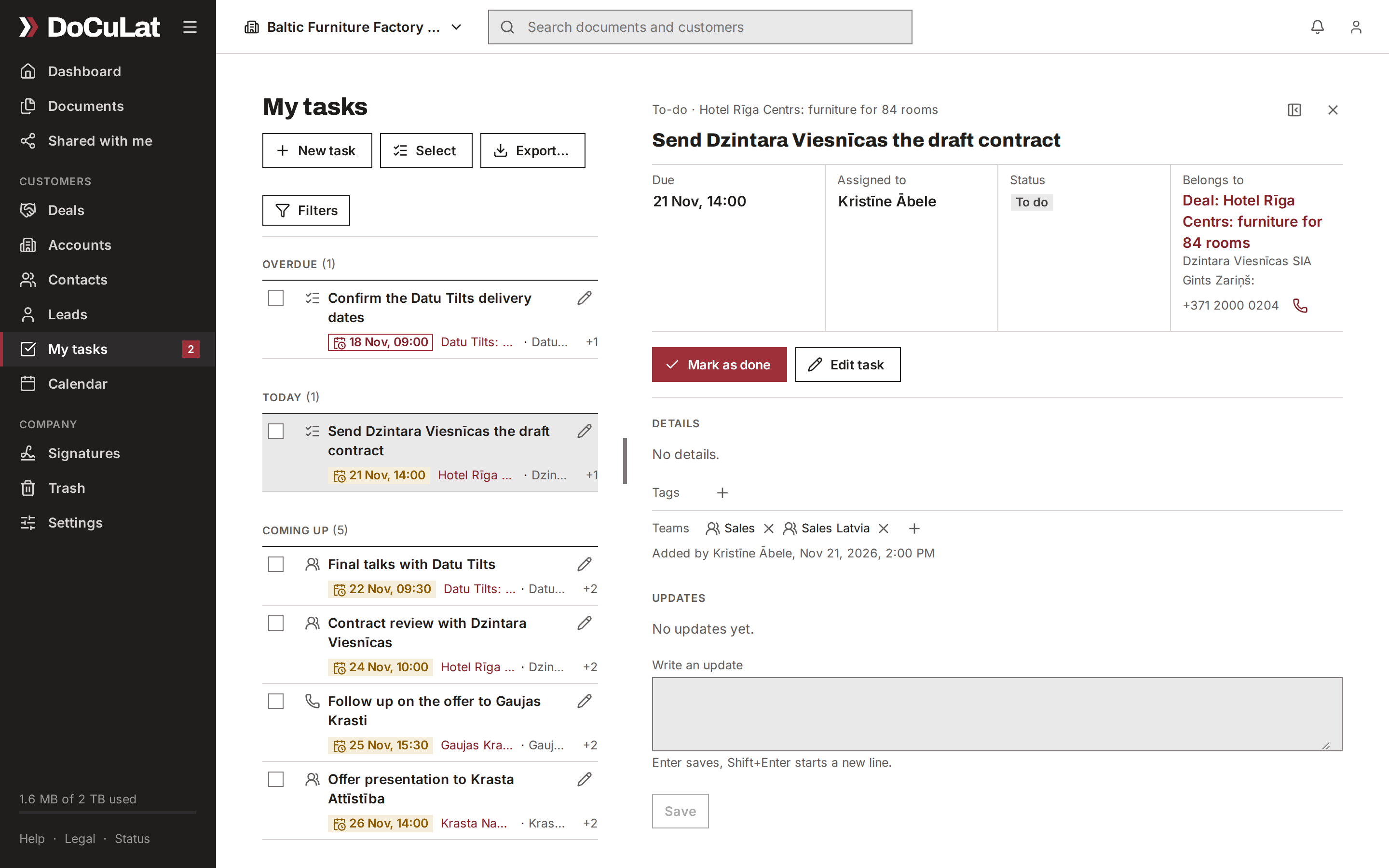
My tasks shows what is yours, overdue first, and the calendar shows the team's meetings. My day lists what is due today.
- Tasks with kinds, due dates and the person responsible
- A task can belong to a deal, an account or a contact
- One calendar for the team; drag a meeting to move it
- Reminders in the app and by e-mail
Dashboard and one search
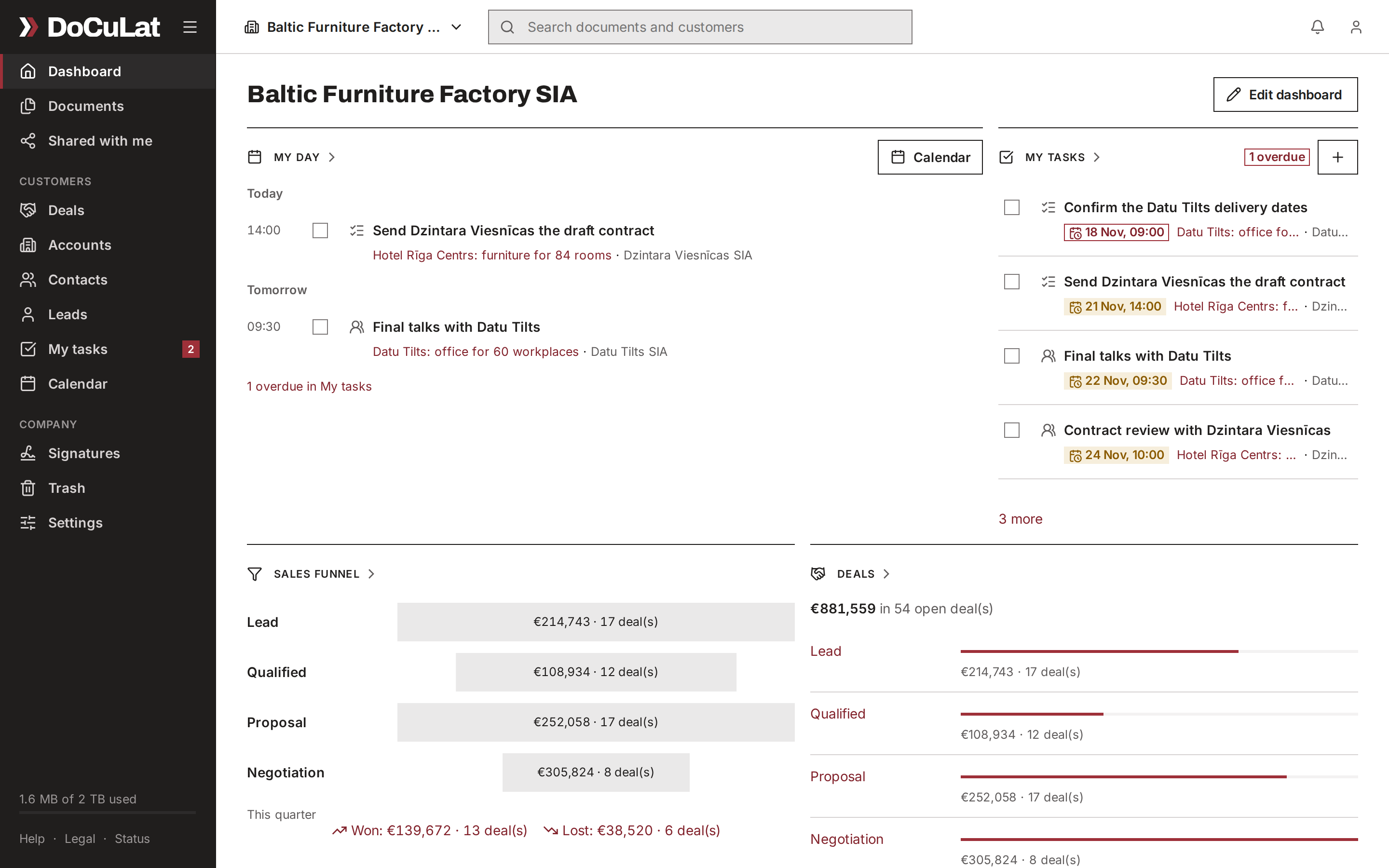
Each person arranges their own start page. One search box finds customers, deals, tasks, files and the text inside documents.
- Widgets for My day, tasks, the sales funnel, deals and files
- Each widget opens the full list behind it
- A company default for those who have not arranged their own
- One search across customers, deals, tasks and documents
Security and privacy
Built for the GDPR from the first day.
- Data stored in the European Union
- Private records and fine-grained sharing
- Export a person's data, or erase it, on request
- An audit log of who did what
Works where you are
Seven languages
English, Latvian, Estonian, Lithuanian, Polish, Finnish and Swedish. Each person chooses theirs; dates and amounts follow it.
Guests
Invite an accountant or a partner to see only what you share with them.
On the phone
DoCuLat works in your phone's browser today, with nothing to install: the web app fits the small screen. Apps for iPhone and Android are coming.
What the apps will do
- Today's tasks and meetings on the first screen
- Customers and deals, with a call or an e-mail one tap away
- The company's files, searched and shared
- Scan a paper with the camera, and it is filed as a PDF
- Notifications on the phone
Why small B2B teams keep their CRM and documents together
When the sales pipeline, the documents and the e-signatures live in separate apps, deals stall and details get lost. DoCuLat links each document to its deal and customer, so there is less to type and proposals go out sooner.
See it with your own work
We show DoCuLat with the kind of customers and documents your team has, and answer your questions.